How to Prepare Your Home Theater Setup for GTA 6's Immersive Audio and Visuals
TL;DR
Getting ready for GTA 6 requires more than just pre-ordering the game; it demands a setup capable of handling Rockstar's next-gen vision. Focus on a 4K display with OLED or Mini-LED tech, HDMI 2.1 for 60fps+ VRR support, and a Dolby Atmos-capable audio system to truly feel the streets of Leonida. If you're on a budget, prioritize the display and a quality soundbar; if you're going all out, invest in a dedicated AV receiver and a multi-channel surround sound system. Do not forget environment tweaks like bias lighting and ergonomic seating for those marathon weekend sessions.
When the first Grand Theft Auto 6 trailer dropped, it didn't just break the internet—it set an impossibly high new benchmark for what we expect from current-generation gaming. The neon-drenched streets of Vice City, the sprawling swamps of Leonida, the incredibly dense dynamic crowds, and the visceral, layered soundscape all hinted at an experience that will push our current gaming consoles to their absolute computational limits.
But there is a harsh truth that many excited gamers overlook: your PlayStation 5 or Xbox Series X is only half of the equation. To truly experience the magic that Rockstar Games is meticulously crafting, your home theater setup needs to be up to the task. Playing a game of this magnitude on an aging 1080p LED TV with tinny, built-in television speakers is like putting cheap, worn-out tires on a luxury supercar.
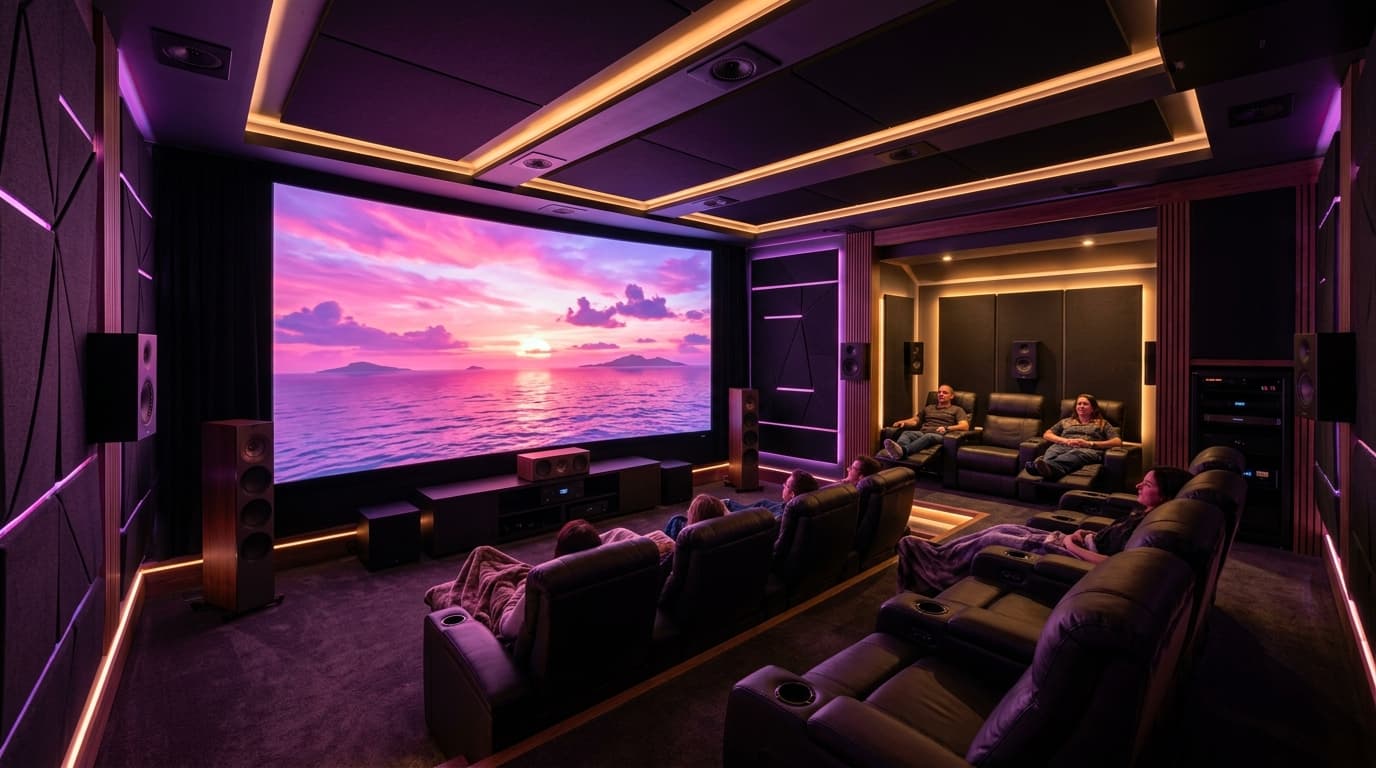
If you want to feel the heavy rumble of a stolen sports car engine in your chest, see every ray-traced reflection in the Vice City puddles, and hear the chaotic ambiance of Leonida's nightlife all around you, it is time to prepare. Here is the ultimate, comprehensive guide on how to prepare your home theater setup for GTA 6's immersive audio and visuals.
Visuals: The Display Setup You Need for Vice City
GTA 6 is expected to heavily leverage advanced rendering techniques, including real-time ray tracing, high dynamic range (HDR), and incredibly detailed global illumination. To see these visual features exactly as the developers intended, your display needs specific, modern capabilities.
OLED vs. Mini-LED: The Battle for Contrast and Brightness
For the ultimate GTA 6 experience, OLED (Organic Light-Emitting Diode) is arguably the reigning champion of display technology. Because each individual pixel emits its own light and can turn off completely, OLED panels achieve perfect, infinite blacks. When you are cruising through the neon-lit streets of Vice City at midnight, the contrast between the glowing pink and blue signs and the pitch-black night sky will be stunningly realistic.
However, Mini-LED is a very close second and offers one major, undeniable advantage: peak HDR brightness. If your gaming room has a lot of natural light or large windows, a Mini-LED TV (like the premium Samsung Neo QLED lineup) might be a much better choice. It gets significantly brighter than most OLEDs, ensuring that the glaring Leonida sun looks piercing, vibrant, and realistic even in a well-lit room. For more on this ongoing display debate, check out our comprehensive Best Gaming TVs of the Year guide.
Refresh Rates and VRR: Smooth Driving and Shooting
While we do not know for certain if GTA 6 will target 30fps or 60fps on base consoles, rumors strongly suggest that a 60fps performance mode will be available, especially if you plan to play on the highly anticipated mid-gen console refreshes.
Regardless of the base framerate target, Variable Refresh Rate (VRR) is completely non-negotiable for modern open-world gaming. Open-world games are notorious for sudden framerate dips during chaotic, physics-heavy moments—like a five-star wanted level shootout with the LCPD involving multiple explosions. VRR dynamically synchronizes the refresh rate of your TV with the fluctuating framerate of your console. This eliminates ugly screen tearing and makes those framerate dips virtually unnoticeable to the naked eye. Make sure your display supports HDMI Forum VRR, AMD FreeSync Premium, or Nvidia G-Sync. You can read more about how this directly impacts gaming performance in our PS5 Pro Performance Analysis.
HDMI 2.1 is Mandatory
Do not even consider buying a TV in 2026 without full-bandwidth HDMI 2.1 ports. HDMI 2.1 provides the massive data bandwidth necessary to support 4K resolution at 120Hz, uncompressed VRR, and Auto Low Latency Mode (ALLM). ALLM is a quality-of-life feature that automatically switches your TV to its lowest-latency "Game Mode" the moment you boot up your console. This ensures that your controller inputs—whether you are dodging oncoming traffic or lining up a precision sniper shot—register instantaneously on screen without you needing to fumble with TV remotes.
Viewing Distance and TV Size
Immersion is largely dictated by how much of your field of view is occupied by the screen. If you are sitting 10 feet away from a 48-inch TV, you will feel like you are looking at Vice City through a window, rather than actually being there. As a general rule for 4K gaming, you want your viewing distance to be roughly 1 to 1.5 times the diagonal size of your TV. For a classic living room setup where your couch is 8 to 10 feet away, a 65-inch or 77-inch TV is the sweet spot for maximizing immersion without causing neck strain.
- ✓ Infinite contrast and perfect blacks; Four HDMI 2.1 ports; Outstanding gaming optimizer menu; Incredibly low input lag.
- ✗ Doesn't get as bright as Mini-LED models; Mild risk of burn-in if left on static HUD screens for hundreds of consecutive hours.
Audio: Hearing the Streets of Leonida
Visuals draw you in, but audio is what keeps you anchored in the world. Rockstar is universally praised for its intricate, layered sound design. From the distinct, guttural hum of different vehicle engines to the dynamic ambient chatter of NPCs reacting to your actions, the soundscape of GTA 6 will be a character of its own. Built-in TV speakers are inherently thin, tinny, and simply incapable of delivering a massive open-world acoustic experience.
Spatial Audio and Dolby Atmos
To fully immerse yourself, you need spatial audio. Spatial audio technologies like Dolby Atmos treat individual sounds as independent "objects" in a 3D space, rather than confining them to traditional, static surround sound channels.
Imagine flying a Maverick helicopter over the crowded Vice City beach. With a proper Dolby Atmos setup, you won't just hear the helicopter "around" you; you will distinctly hear the rotor blades chopping the air directly above your head. When a sudden tropical thunderstorm hits Leonida, the raindrops will sound like they are hitting the actual roof of your living room.
If you want to dive deeper into configuring your console for this spatial experience, read our dedicated Ultimate Dolby Atmos Gaming Guide.
Soundbars vs. Dedicated Receivers (AVRs)
Your audio upgrade path depends heavily on your available space, your budget, and your dedication to complex cable management.
The Soundbar Route: Modern soundbars have evolved drastically over the last five years. Flagship models from brands like Samsung, LG, and Sonos now offer massive wireless subwoofers and discrete rear satellite speakers that fully support Dolby Atmos. They utilize up-firing drivers to bounce sound waves off your ceiling, effectively simulating overhead audio without needing actual ceiling speakers. This is the absolute best choice for most gamers because it provides an incredible, room-filling 7.1.4 or 11.1.4 surround experience without requiring you to drill holes and run speaker wire through your drywall.
- ✓ Incredible 3D soundstage with Dolby Atmos; Easy single-cable HDMI eARC setup; Expands wirelessly with Sonos Sub and Era 300 surrounds.
- ✗ Expensive initial investment; Requires a separate subwoofer purchase for deep bass; No extra HDMI inputs for console passthrough.
The Dedicated AVR Route: If you want the true, uncompromised movie theater experience and don't mind getting your hands dirty, build a custom setup with a dedicated Audio/Video Receiver (AVR) and passive discrete speakers. You can start with a basic 5.1 setup (three front speakers, two surrounds, and a subwoofer) and eventually add dedicated in-ceiling speakers for an unmatched Atmos experience. A dedicated AVR setup will always provide better channel separation, clarity, and sheer volume than any soundbar on the market. Just ensure the AVR you purchase explicitly supports 4K/120Hz HDMI 2.1 passthrough so it does not bottleneck the video signal from your PS5 or Xbox.
Gaming Headsets: The Alternative for Immersion
If you live in an apartment with thin walls or have roommates, a booming home theater system might result in a noise complaint before you even finish the GTA 6 prologue. In this case, a high-end gaming headset is your best friend. Look for headsets that support Sony's Tempest 3D AudioTech (for PS5) or Dolby Atmos for Headphones (for Xbox). A great pair of planar magnetic gaming headphones can actually provide superior directional audio cues compared to a budget speaker system, allowing you to hear exactly which alleyway those police sirens are coming from.
The Importance of a Good Subwoofer
Whether you go with a soundbar or an AVR, never underestimate the power of a good subwoofer. In an action-packed game like GTA 6, the subwoofer is what makes the C4 explosions feel lethal, the shotgun blasts feel concussive, and the heavy bass drops on the hip-hop radio stations literally shake your floorboards. It handles the low-frequency effects (LFE) that standard speakers simply cannot reproduce. For a standalone house, upgrading to a larger 10-inch or 12-inch subwoofer is often the single most impactful upgrade you can make to your audio immersion.
Lighting and Environment: Enhancing the Vibe
Your television and your speakers do the heavy lifting, but the physical environment of your gaming room can significantly alter how you perceive the game and how long you can comfortably play.
Bias Lighting and Reactive RGB
Bias lighting involves placing LED light strips on the back of your TV, illuminating the wall directly behind it. Not only does this look incredibly cool and futuristic, but it actually serves an important biological purpose. When you watch a very bright screen in a pitch-dark room, your pupils have to constantly dilate and constrict as the on-screen brightness changes. This leads to severe eye strain and fatigue over time.
By illuminating the wall behind the TV with a neutral white light, you reduce this eye fatigue, allowing for those inevitable 8-hour GTA 6 launch weekend marathon sessions. Furthermore, bias lighting plays a trick on your visual cortex, making your brain perceive the blacks on your TV as deeper and the colors as richer.
If you want to take it a step further, systems like the Govee Envisual TV Backlight or the Philips Hue Play Sync Box can dynamically sync the LED lights to match the colors currently on your screen. When you drive your customized sports car past a glowing neon pink sign in Vice City, the wall behind your TV will instantly glow pink, effectively extending the game world beyond the physical bezels of your television.
Seating Ergonomics
Do not ruin a $3,000 AV setup by sitting on a $50 folding chair or a worn-out couch that ruins your posture. GTA 6 will likely feature hundreds of hours of content. Investing in an ergonomic gaming chair or a highly comfortable, supportive home theater recliner is essential. Lumbar support and proper neck alignment will ensure that you are focused on the game, not on an aching back.
The Ultimate GTA 6 Ready Checklist
Before the highly anticipated game finally launches, audit your entertainment space and make sure your setup ticks these critical boxes:
- Display: 4K resolution, HDMI 2.1 bandwidth, VRR (Variable Refresh Rate), and HDR10/Dolby Vision support. (OLED is highly preferred for dark room gaming, Mini-LED for bright rooms).
- Audio: At least a 5.1 physical surround sound system or a high-end premium soundbar with Dolby Atmos up-firing support.
- Subwoofer: A dedicated, powered sub to physically feel the engine rumbles, gunfights, and cinematic explosions.
- Lighting: Bias lighting installed behind the display to reduce eye strain and boost perceived on-screen contrast.
- Seating: An ergonomic gaming chair or a supportive theater recliner for those long weekend sessions.
- Storage: An upgraded, fast NVMe SSD installed in your console. GTA 6 is going to be massive; do not let restrictive storage limits force you to delete the rest of your gaming library. Read our PS5 SSD Installation Guide for step-by-step help.
Conclusion
Rockstar Games only releases a new mainline Grand Theft Auto title roughly once a decade. It is not just a standard video game release; it is a global cultural event that pushes the entire medium forward. You owe it to yourself to experience GTA 6 in the absolute best possible conditions.
By investing now in a display that can expertly handle the game's complex lighting engine and fluid framerates, an audio system that brings the chaotic, living streets of Leonida directly into your living room, and environmental lighting that keeps you immersed and comfortable, you aren't just preparing for a game. You are building a personalized portal to Vice City.
Start planning your upgrades now, piece by piece, so when that massive download finally reaches 100%, you are fully ready to hit the gas.
David tests AI tools, gadgets, and developer platforms hands-on before writing about them. His work focuses on making complex tech approachable — without the hype. He has covered 100+ products across AI, gadgets, and software for TechPixelly.