GravaStar Mercury M2: Coolest Mouse I've Ever Hated Using
TL;DR
The GravaStar Mercury M2 is an absolute masterpiece of industrial design. It’s a skeletonized, magnesium-alloy gaming mouse that looks like it was ripped straight out of a Cyberpunk 2077 or Alien movie set. It features top-tier internals, including the flagship PAW3395 sensor, and feels incredibly premium. But after three weeks of rigorous testing, my hand is screaming for mercy. It is, without a doubt, the coolest mouse I have ever put on my desk—and simultaneously the most uncomfortable pointing device I have ever tried to main for an extended period. If you want a functional piece of art, buy it. If you want a daily driver for 8-hour workdays and sweaty ranked sessions, look elsewhere.
Love at First Sight: The Unboxing Experience
Let’s get one thing straight from the jump: GravaStar knows how to do aesthetics. If you’ve read our roundup of the best desk setup accessories for 2026, you know that GravaStar’s Sirius Pro earbuds and Mars Pro speakers are legendary for their unapologetic, futuristic styling. The Mercury M2 continues this legacy flawlessly.
The unboxing experience is an absolute event. It doesn't come in a standard, flimsy cardboard box that you immediately toss in the recycling bin; it arrives in a heavy-duty, protective display case that makes you feel like you're handling classified government tech or a weapon from the future. Opening it up reveals the mouse nestled securely in custom-cut high-density foam, alongside a braided paracord USB-C charging cable, a 2.4GHz wireless dongle, a USB extension adapter, and some replacement PTFE skates.
When you first hold the Mercury M2, it’s remarkably cold to the touch. That’s because the shell is constructed from a premium magnesium alloy rather than the typical ABS plastic you find on 99% of gaming mice today. The skeletonized design—which exposes the internal circuitry bathed in customizable RGB lighting—is nothing short of breathtaking. It’s intricate, it’s aggressive, and it absolutely demands attention. For the first 48 hours of having it on my desk, I couldn't stop looking at it. I sent pictures to all my gaming buddies. I was entirely convinced this was going to permanently replace my daily driver.
The Honeymoon Phase Ends: Ergonomics and Comfort
And then... I actually had to use it for work and extensive gaming sessions.
I am a hybrid worker and an avid gamer. I write thousands of words a day (much like this review), edit photos, navigate complex spreadsheets, and then, when the sun goes down, I hop into Discord to play competitive tactical shooters with my friends. That means my right hand is resting on my mouse for upwards of 10 to 12 hours a day.
This is exactly where the GravaStar Mercury M2 and I fundamentally disagree.
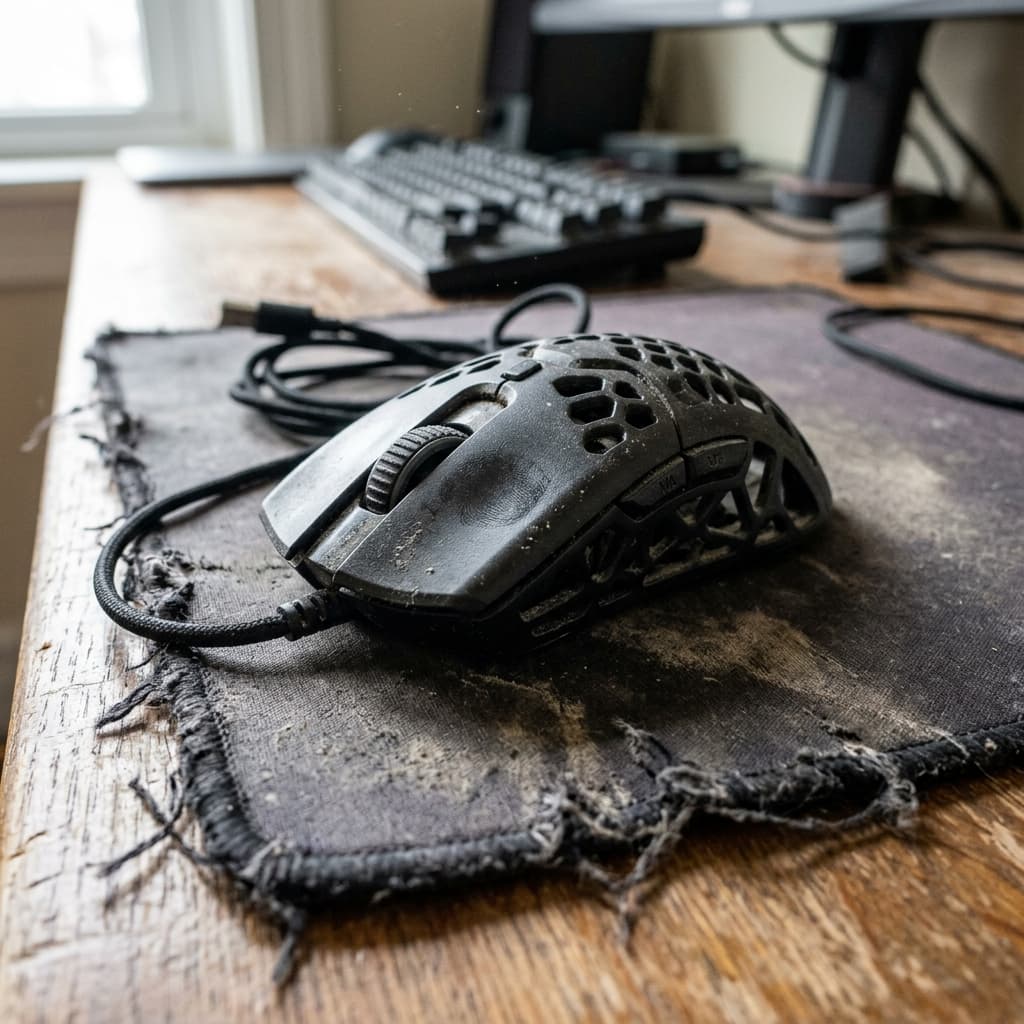
The skeletal frame, which is the cornerstone of its aesthetic appeal, is an ergonomic nightmare for anyone who doesn't use a strict fingertip grip. I am a palm/relaxed-claw gripper, meaning the base of my palm rests heavily on the back hump of the mouse for stabilization and control. Unfortunately, the back hump of the Mercury M2 is a web of rigid magnesium alloy beams with giant, gaping holes in between them.
Within the first two hours of using the mouse, I could feel the hard, unyielding edges of the cutouts digging into the fleshy part of my palm. By hour four, it was genuinely uncomfortable, requiring me to constantly shift my grip to find a less painful angle. By the end of the week, I had actually developed a small red callus. It’s strikingly similar to the feeling of sitting on a stylish, modern wire-frame chair—it looks absolutely fantastic in an Architectural Digest photoshoot, but you wouldn't want to binge-watch a 10-hour Netflix series sitting on it.
If you are a pure fingertip gripper where your palm never makes physical contact with the shell of the mouse, you might actually love this. The hollow design allows for excellent airflow, meaning your hands won't sweat nearly as much during intense gaming moments. But for anyone else, the shape and the aggressive skeletonized chassis are going to be a severe ergonomic bottleneck. We've talked extensively about the importance of ergonomics in our guide to building a pain-free ergonomic workspace, and the Mercury M2 violates almost every principle on that list.
Under the Hood: Flagship Performance
It is incredibly frustrating that the Mercury M2 is so uncomfortable for my grip style, because under the hood, this thing is an absolute beast. GravaStar didn't just build a pretty shell and stuff it with budget components to make a quick buck; they went all out on the spec sheet.
The Sensor: PAW3395 Excellence
At the heart of the Mercury M2 is the PixArt PAW3395 sensor. If you closely follow the gaming peripheral space, you already know that this is currently the gold standard for wireless gaming mice. It maxes out at a staggering 26,000 DPI, offers a 650 IPS tracking speed, and handles up to 50G of acceleration.
In real-world practice, the tracking is completely flawless. I put the Mercury M2 through its paces across several titles, including Valorant, Apex Legends, and Counter-Strike 2. Whether I was making minute micro-adjustments to hold an angle with an Operator or doing large, frantic sweeping flicks to track a target flying through the air, the Mercury M2 translated every single movement with pinpoint pixel accuracy. There was zero noticeable wireless latency, no sensor spin-outs on fast swipes, and absolutely no jitter. When it comes to pure tracking performance, it stands toe-to-toe with industry titans like the Logitech G Pro X Superlight 2 or the Razer DeathAdder V3 Pro.
Clicks and Switches
The primary left and right buttons are outfitted with crisp, highly tactile switches. They have a very distinct, satisfying "click" that feels highly responsive and deliberate. There is virtually no pre-travel before the switch actuates, and the post-travel is kept to an absolute minimum. Spam-clicking in MOBAs or firing semi-automatic weapons in tactical shooters feels incredibly rewarding.
The scroll wheel is another massive highlight. It has very distinct, heavily notched steps that make weapon switching reliable and precise—you will never accidentally over-scroll to the wrong weapon in a firefight. However, the middle click requires a bit more actuation force than I typically prefer, which can be tiring if you use the middle click frequently for pinging or opening links in new tabs.
The side buttons, unfortunately, are a bit of a mixed bag. They are well-placed and easy to reach, but they feel noticeably mushier compared to the stellar primary clicks. They get the job done, but they lack that premium, snappy feedback.
Weight, Glide, and Mousepad Compatibility
Despite being constructed from metal, the skeletonized design successfully keeps the weight down to a very respectable 79 grams. While it's certainly not breaking any ultra-lightweight records in a world where 40-to-50-gram mice are rapidly becoming the norm (check out our deep dive into the lightweight mouse revolution of 2026), 79 grams is still plenty light for high-level competitive gaming. It strikes a good balance for those who feel that sub-50g mice are too flimsy.
The stock PTFE skates are excellent right out of the box. They feature rounded edges that prevent them from scratching or digging into softer cloth pads. I tested the mouse on my Artisan Zero and a SkyPAD glass pad (see our ultimate mousepad tier list for more on those). On the cloth pad, it provided a buttery smooth glide with excellent stopping power. On the glass pad, it felt like it was floating on air, though it took some getting used to.
The Software: Form Over Function, Again
If the physical ergonomics are the Mercury M2's Achilles heel, the companion software is its secondary, highly annoying weakness.
The GravaStar software feels like a relic designed in 2015. While it does technically give you access to all the necessary settings you would expect—adjusting DPI stages, changing the polling rate (up to 1000Hz or 4000Hz with an optional separate dongle), macro recording, and RGB customization—the user interface is clunky, visually unappealing, and unintuitive.
I experienced a few software crashes when trying to apply custom RGB profiles, and the application consistently failed to correctly report the battery life percentage, often jumping wildly from 80% to 20% and back again.
Speaking of battery life, it's strictly mediocre. GravaStar claims around 50 hours with the RGB off, and maybe 30 hours with the RGB blazing. In my testing, using a standard 1000Hz polling rate and a dim RGB setting, I found myself needing to plug it in every 4 to 5 days. It's not terrible, but when compared to the 80 to 100+ hours you easily get from modern Logitech, Razer, or even budget Ninjutso mice, it feels decidedly lacking. Fortunately, the included braided USB-C cable is flexible and light enough that using the mouse in wired mode while it charges isn't a massive hassle.
The RGB and Maintenance: A Dust Magnet's Dream
We can't talk about the GravaStar Mercury M2 without dedicating a moment to its lighting. The internal RGB glow, shining through the skeletonized chassis, looks like a tiny nuclear reactor core pulsing on your desk. It is gorgeous. There are multiple zones, and the diffusion of the light against the internal matte plastics and the external magnesium alloy is chef's kiss perfect.
However, this open design introduces a very practical, annoying problem: dust, dead skin cells, and pet hair.
Because the internals are entirely exposed, this mouse is an absolute dust magnet. Within a week, I could see visible specks of dust settling onto the PCB and internal plastic components. Cleaning it is a chore. You can't just wipe it down with a microfiber cloth; you need a can of compressed air or a fine-bristled brush to get into the nooks and crannies. If you have cats or dogs, be prepared to perform weekly maintenance to keep this alien artifact looking pristine.
Comparison: Mercury M2 vs. Razer Viper Mini Signature Edition
It’s impossible to look at the Mercury M2 without immediately drawing comparisons to the Razer Viper Mini Signature Edition. Both mice utilize a skeletonized magnesium alloy frame and target the premium, aesthetic-forward demographic.
However, they are entirely different beasts. The Razer VMSE costs an eye-watering $280+, weighs a mere 49 grams, and features a much safer, universally accepted shape that doesn't dig into your hand quite as aggressively. The GravaStar Mercury M2 is significantly heavier at 79 grams but comes in at a much more palatable $79.95.
If money is no object and you want the absolute pinnacle of lightweight, skeletonized magnesium performance, the Razer is the better mouse. But if you want a visually louder design, stunning RGB (which the Razer lacks), and don't want to take out a second mortgage to buy a peripheral, the GravaStar is the clear value winner—provided you can handle the shape.
The Verdict: Art or Tool?
Reviewing the GravaStar Mercury M2 has been a deeply polarizing, love-hate experience.
If I am evaluating it purely as a piece of functional industrial design, it is a resounding 10/10. It is a bold, aggressive, wildly creative swing at a market that has largely settled on safe, boring, egg-shaped, minimalist designs. It looks phenomenal on a desk, and it sparks a conversation with literally anyone who walks into my office and sees it.
But a mouse is not just desk jewelry; it is a vital tool. And as a tool, the Mercury M2 fails the comfort test spectacularly for the vast majority of grip styles. The skeletonized magnesium frame prioritizes visual flair over the anatomical reality and comfort of a human hand.
Who is this mouse actually for?
- Fingertip Grippers: If your palm never physically touches the back of the mouse, you will likely bypass all the ergonomic issues I experienced. You'll be left with a highly capable, stunningly beautiful gaming mouse with top-tier specs.
- Collectors and Desk Setup Enthusiasts: If you have a massive mouse collection or are building a specific sci-fi, Cyberpunk, or futuristic themed setup where aesthetics are the absolute top priority, this is a must-buy piece of hardware.
- Casual Users: If you only use your computer for an hour or two a day for casual web browsing or brief gaming sessions, the discomfort won't have time to set in, and you can enjoy the cool factor without the hand cramps.
However, if you are a power user, a remote worker, a student, or a hardcore gamer who uses a palm or relaxed claw grip, I simply cannot recommend the GravaStar Mercury M2 as your primary device.
It breaks my heart to say it, because I truly want to love it. I want to use it every day. I want it on my desk. But after three weeks of trying to force it to work, my hand has vetoed my heart. I am putting it back in its beautiful, heavy-duty display case, placing it on a shelf to be admired, and returning to my boring, supremely comfortable, plastic daily driver.
Sometimes, the coolest things in the world are best appreciated from a safe distance.
What do you think of the GravaStar Mercury M2? Does aesthetics trump ergonomics for you, or is comfort always king when it comes to peripherals? Let us know on Twitter/X or join the discussion in our community Discord.
David tests AI tools, gadgets, and developer platforms hands-on before writing about them. His work focuses on making complex tech approachable — without the hype. He has covered 100+ products across AI, gadgets, and software for TechPixelly.